
 bobby
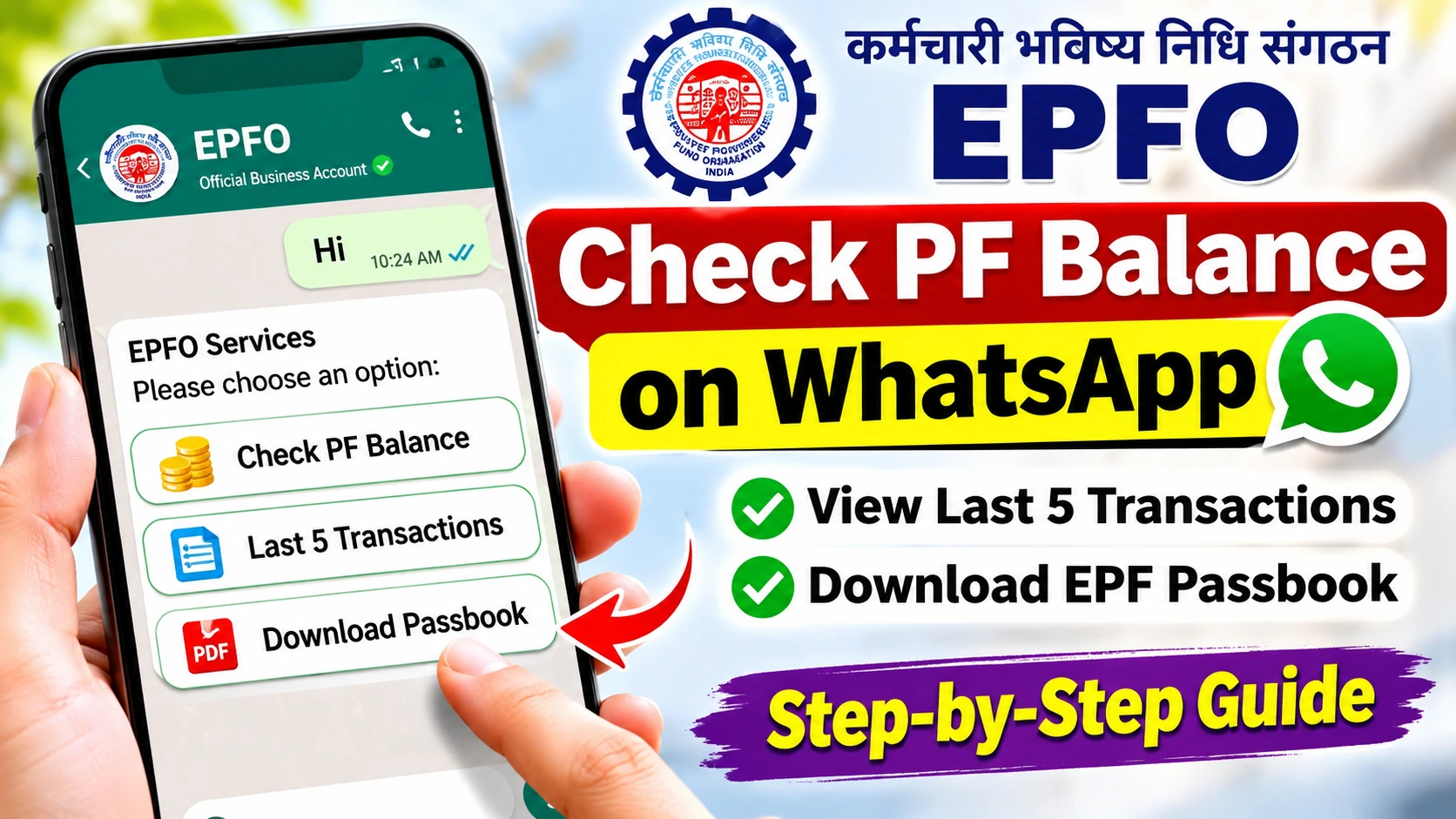
EPFO WhatsApp Number: Checking your Employees’ Provident Fund (EPF) balance has become easier. The Employees’ Provident Fund Organisation (EPFO) has introduced a WhatsApp-based service that allows subscribers to check their PF balance, view their latest five transactions, and download their EPF passbook directly through their smartphones.
The facility eliminates the need to log in to the EPFO member portal for several routine account enquiries.
Launched on November 1, 2026, during EPFO’s 74th Foundation Day celebrations, the initiative aims to make provident fund services more accessible to millions of salaried employees across India.
Here is everything you need to know about the official EPFO WhatsApp number, OTP verification, account balance checks, transaction history, and passbook downloads.
📱 What Is the Official EPFO WhatsApp Number?
The official EPFO WhatsApp number is +91 87964 41800.
Members can save this number on their smartphones and send a simple “Hi” message to begin accessing available services.
The automated chatbot guides users through language selection, account verification, and the available provident fund services.
Subscribers can use the facility to:
- Check their latest EPF account balance.
- View their five most recent PF transactions.
- Access and download their EPF passbook.
- Receive guidance related to the Pradhan Mantri Viksit Bharat Rozgar Yojana (PMVBRY).
The service is particularly useful for employees who want to monitor their retirement savings without repeatedly visiting the member portal.
📊 EPFO WhatsApp Services 2026
Check which PF services are available through the official EPFO WhatsApp chatbot.
| Service | What You Get | Verification |
|---|---|---|
| 💰 PF Balance | Latest available account balance | OTP |
| 📋 Last 5 Transactions | Five recent PF account entries | OTP |
| 📄 EPF Passbook | Passbook access or PDF download | OTP |
| 🏢 PMVBRY Guidance | Employment scheme assistance | As instructed |
✅ How to Check PF Balance on WhatsApp: Step-by-Step Guide
Employees can check their provident fund balance using the official WhatsApp service by following these steps.
Step 1: Save the EPFO WhatsApp Number
Open your smartphone’s contacts application and save +91 87964 41800 as EPFO WhatsApp Services.
Step 2: Send a Message
Open WhatsApp, select the saved contact, and send “Hi” to initiate the conversation.
Step 3: Choose Your Preferred Language
The chatbot will display a welcome message and ask you to select your preferred language.
Choose a language from the available options.
Step 4: Select Check PF Balance
Once the service menu appears, select the option for checking your EPF account balance.
Step 5: Complete OTP Verification
Follow the chatbot’s instructions to verify your identity.
An OTP will be sent to the mobile number registered with your Universal Account Number (UAN).
Complete the verification within the time permitted by the service.
Step 6: Choose Your PF Account
If multiple PF member IDs are associated with your UAN, select the account whose balance you want to check.
Step 7: View Your EPF Balance
After successful verification, the chatbot will display the available balance information for the selected account.
You can then return to the main menu or explore other available services.
💰 How to Check Your Last 5 EPF Transactions
The new WhatsApp service also allows subscribers to view their five most recent provident fund transactions.
This feature helps employees monitor recent account activity and identify whether contributions have been credited.
To check your transactions:
- Open the official EPFO WhatsApp conversation.
- Send “Hi” to access the service menu.
- Select your preferred language.
- Choose the Last 5 Transactions option.
- Complete OTP verification when requested.
- Select the relevant PF member ID if prompted.
- Review the five latest available account entries.
Regularly checking transactions can help employees identify missing contributions or unexpected account activity.
However, the latest five entries may not provide a complete contribution history. For a more detailed record, employees should review their EPF passbook.
📄 How to Download Your EPF Passbook Through WhatsApp
An EPF passbook contains important information about an employee’s provident fund account.
It records employee contributions, employer contributions, withdrawals, and other account entries.
Subscribers can now access their passbook using the WhatsApp chatbot.
Follow These Simple Steps
- Open WhatsApp and start a conversation with EPFO’s official number.
- Send “Hi” and select your preferred language.
- Choose the Download Passbook option.
- Complete the required OTP verification.
- Select the relevant PF account if multiple accounts are available.
- Follow the instructions to access or download the passbook PDF.
The passbook can help employees review their contribution history and monitor their retirement savings.
It is also useful when checking whether an employer’s PF deposits have appeared in the account.
📊 EPFO WhatsApp Services at a Glance
| Service | What You Can Do | Verification |
|---|---|---|
| PF Balance Check | View your EPF account balance | OTP |
| Last 5 Transactions | Review recent PF account entries | OTP |
| EPF Passbook | Access or download your passbook | OTP |
| PMVBRY Assistance | Receive scheme-related guidance | As instructed |
The WhatsApp service provides a convenient alternative for routine PF enquiries, especially for subscribers who prefer using their smartphones.
🔐 Important Requirements for EPFO WhatsApp Services
Before using the facility, employees should ensure that their provident fund account information is up to date.
Registered Mobile Number: The mobile number linked with the UAN is important for receiving verification messages.
Universal Account Number: The UAN connects a member’s provident fund records and helps identify associated accounts.
Active WhatsApp Account: A working WhatsApp connection is required to communicate with the chatbot.
OTP Verification: Identity verification protects access to sensitive provident fund information.
Members with multiple PF accounts may need to choose the correct member ID before viewing their details.
⚠️ EPFO WhatsApp Service Not Working? Try These Fixes
Some subscribers may encounter difficulties while accessing the newly introduced service.
If the chatbot does not respond or verification fails, try the following:
- Confirm that you are messaging the correct official number.
- Check whether your registered mobile number matches your UAN records.
- Ensure that your internet connection is working.
- Follow the chatbot’s instructions carefully.
- Wait before retrying if an OTP does not arrive.
- Restart the conversation if the service becomes unresponsive.
If WhatsApp access remains unavailable, members can use the EPFO member portal or UMANG app to check their provident fund information.
🛡️ Stay Safe From PF and WhatsApp Scams
The convenience of digital financial services also makes account security essential.
EPFO subscribers should never share their UAN password, banking PIN, ATM PIN, or other sensitive credentials with unknown individuals.
Always confirm that you are using the official EPFO WhatsApp number before starting a conversation.
Enter verification codes only through the legitimate service flow and never disclose them to someone contacting you separately.
Be especially cautious of messages promising instant PF withdrawals, guaranteed settlements, or special benefits in exchange for payment.
Important: The WhatsApp facility is designed for account information and related guidance. Checking a PF balance through WhatsApp is not the same as filing a withdrawal claim or transferring a provident fund account.
❓ EPFO WhatsApp Number 2026: Frequently Asked Questions
1. What is the official EPFO WhatsApp number?
The official number is +91 87964 41800. Members can send “Hi” to start using the available services.
2. Can I check my PF balance through WhatsApp?
Yes. Select the PF balance option from the chatbot menu, complete identity verification, and choose your PF account.
3. Can I download my EPF passbook on WhatsApp?
Yes. The service provides an option to access and download an EPF passbook after verification.
4. How can I see my last five PF transactions?
Send “Hi” to the official EPFO WhatsApp number and select the Last 5 Transactions option from the menu.
5. Is OTP verification necessary?
Yes. Members must complete the required identity verification using the mobile number registered with their UAN.
6. What if my mobile number is not linked to my UAN?
You may be unable to complete verification. Check and update your registered mobile details through the appropriate EPFO account process.
7. Can I withdraw my PF money using WhatsApp?
The announced service covers balance enquiries, recent transactions, passbook access, and scheme guidance. It should not be treated as a WhatsApp-based PF withdrawal facility.
8. What should I do if the EPFO chatbot is unavailable?
Try again later or use the EPFO member portal or UMANG app for supported provident fund services.
🎯 Final Thoughts
The introduction of EPFO’s WhatsApp service is an important step toward making provident fund information easier to access.
With a simple message to +91 87964 41800, eligible members can check their PF balance, review recent transactions, and access their passbook after completing verification.
For salaried employees, the facility offers a practical way to monitor retirement savings and stay informed about provident fund contributions.
Before using the service, ensure that your UAN-linked mobile number is active and follow basic digital security precautions.
Keep track of your provident fund savings, verify your contributions regularly, and protect your financial information.